Science & Tech
EXPOSED: Sneaky Mac Malware Holds Your Apps Hostage Until You Surrender
Liberty Check
- New ClickLock malware tricks Mac users into pasting malicious Terminal commands disguised as routine security verifications
- The attack repeatedly crashes essential apps and displays fake password prompts until victims surrender their login credentials
- Over 100 systems across 33 countries compromised since May, yet major security tools failed to detect the threat initially
A deceptive new cyberattack is targeting Mac users with a cunning twist on traditional malware distribution. Instead of exploiting technical vulnerabilities, the ClickLock malware relies on tricking Americans into manually installing the threat themselves.
The attack begins with what appears to be a routine “verify you are human” page. But this is where things take a dangerous turn.
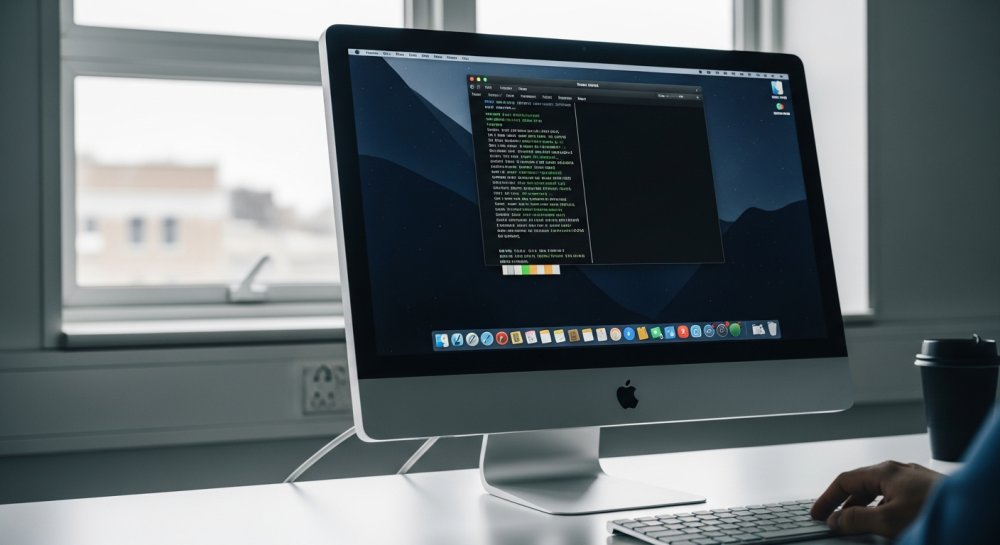
The fake verification page instructs users to open Terminal — the Mac application used to run computer commands — and paste in a specific command. The page then displays a convincing progress bar while the command quietly downloads malicious software in the background.
Once installed, a password request box appears that mimics normal macOS security prompts. If users refuse to enter their credentials, the malware launches a relentless assault: repeatedly closing Finder, web browsers, and other essential applications.
The harassment continues until victims feel they have no choice but to surrender their login password.
ClickLock is engineered to steal personal information from infected Macs. The malware searches for saved passwords, browser data, and cryptocurrency wallet files.
Even more concerning, it installs a hidden backdoor that allows attackers to reconnect to the compromised computer later and control it remotely.
Cybersecurity researchers at Group-IB discovered the malicious script on VirusTotal, an online threat-checking service. The first upload occurred on June 9, 2026, yet none of the platform’s security tools detected it at the time of the researchers’ report.
Group-IB reports the campaign has targeted at least 100 systems across 33 countries since May — a troubling international reach that demonstrates the attack’s effectiveness.
ClickLock consists of multiple malicious scripts designed to harvest sensitive information. The malware collects Mac login passwords, browser data, cryptocurrency wallet files, password manager extensions, and information stored in macOS Keychain.
One particularly insidious component installs a persistent backdoor connection.
This hidden access point allows attackers to control the Mac remotely even after other parts of ClickLock remove themselves — meaning the threat continues long after victims believe they’re safe.
Group-IB believes ClickLock spreads through a tactic called ClickFix. These attacks display fake error messages or verification requests, then provide a command that supposedly fixes the problem.
In this case, the ClickLock script shows a fake Cloudflare verification sequence after victims paste the command into Terminal.
An animated progress bar cycles through reassuring messages about checking browser signals and confirming human identity. Meanwhile, the script disables keyboard interruptions and hides the Terminal cursor while downloading malicious components in the background.
Researchers have not yet confirmed the exact landing pages used in the campaign. The initial infection vector remains unclear — whether through malicious search results, compromised websites, phishing messages, or social media links.
After the malware begins running, it displays a fake macOS password window complete with the victim’s real username and a downloaded Apple icon.
If users enter their password, ClickLock verifies it against the Mac system. When the password works, the malware records it and transmits it to the attacker through Telegram.
An incorrect password triggers another request. If users cancel the window, ClickLock installs two LaunchAgents — macOS instructions that automatically run software at login.
These LaunchAgents bring the password-stealing components back at the next login session.
When the password-stealing module returns, it launches an aggressive harassment campaign. The malware begins closing visible applications every 210 milliseconds, targeting Finder, the Dock, Terminal, Activity Monitor, System Settings, Spotlight, and common web browsers.
The fake password window remains as the only functional item on screen.
This creates the appearance of a broken Mac while pressuring victims to enter their credentials. Group-IB found the loop can run for approximately 83 hours, stopping only when the malware captures a valid password.
A second ClickLock component targets Chrome’s Safe Storage key, which Chromium-based browsers use to encrypt passwords, cookies, and autofill information. An attacker with this key and copied browser databases can decrypt that information offline.
This portion of the attack triggers a genuine macOS Keychain authorization prompt — though the malware caused the request.
ClickLock then runs another process-closing loop while waiting for approval. Researchers found this loop repeats every 200 milliseconds and can continue for nearly 35 days.
The script also suppresses macOS NotificationCenter for roughly six hours, potentially hiding warnings that might reveal the attack.
ClickLock searches for information across eight browsers: Chrome, Firefox, Brave, Microsoft Edge, Opera, Vivaldi, Arc, and Chromium. The targeted data includes login credentials, cookies, browsing history, autofill data, credit card information, and browser extension data.
The malware also hunts for desktop cryptocurrency wallets, encrypted wallet vaults, and cached blockchain addresses across several networks.
Other targets include macOS Keychain, Terminal command histories, and FileZilla server details. The malware records basic system information and the Mac’s public IP address.
ClickLock packages collected information into a ZIP archive and uploads it through Telegram’s Bot API. Files larger than 40 MB get divided into smaller pieces, while retry code continues attempting upload after network failures.
One ClickLock component uses a modified version of the open-source GSocket tool to install a reverse shell — giving attackers a command-line connection to the compromised Mac.
On macOS, it disguises the backdoor as an iCloud-related process.
ClickLock uses a LaunchAgent and scheduled commands to maintain the backdoor. It also modifies shell configuration files.
Most other ClickLock modules delete themselves after completing their theft. The GSocket component remains installed, meaning attackers retain access after the Mac appears to return to normal.
The original ClickLock script had zero detections on VirusTotal when Group-IB analyzed it. Security vendors may update their detection tools as awareness spreads.
The attackers stored payloads on compromised websites that previously had clean reputations. Some components run without saving normal files to the drive, while others erase themselves after stealing data.
However, ClickLock produces suspicious activity while running. Warning signs include nonstop application closures, repeated password requests, and sudden access to multiple browser folders.
Security tools may detect unusual connections to Telegram’s API.
The earliest warning sign is simple: a website instructs you to paste a command into Terminal. Legitimate human verification happens inside your browser and should never require Terminal commands.
Americans can protect themselves with these essential steps:
Immediately close any webpage that tells you to open Terminal and paste a command. A polished design offers no proof that the request is legitimate.
Familiar logos can be copied. Group-IB warns that any website asking you to use Terminal for verification is attempting to compromise your system.
Terminal commands can download software and change critical settings. Never run an unfamiliar command simply to see what happens.
Ask a trusted technical professional to inspect it first.
Consider the context when password windows appear. A website verification should never ask for your Mac login password or request access to Chrome information stored in Keychain.
Cancel requests when the timing feels wrong.
Install macOS updates and keep automatic security updates enabled. Apple builds malware protection into macOS through Gatekeeper, Notarization, and XProtect.
Apple updates XProtect automatically as new malware emerges. However, no built-in protection can eliminate every risk when you manually run a malicious command.
Strong antivirus software provides another layer of protection against malicious files and suspicious behavior. Still, a clean scan cannot guarantee that ClickLock left nothing behind since the backdoor persists after other components erase themselves.
If your Mac becomes unresponsive and keeps requesting your password, do not enter credentials to make the pop-up disappear.
Press and hold your Mac’s power button for up to 10 seconds until the computer shuts down. On a MacBook with Touch ID, press and hold the Touch ID button.
Group-IB recommends forcing a shutdown when facing this harassment, then starting the Mac in Safe Mode.
For Macs with Apple silicon: Wait until complete shutdown, press and hold the power button until “Loading startup options” appears, select your startup volume, hold the Shift key, then click Continue in Safe Mode.
For Intel-based Macs: Turn on or restart the Mac, then immediately press and hold the Shift key until the login window appears.
Once Safe Mode starts, turn off Wi-Fi or unplug the Ethernet cable. Then contact Apple Support or a trusted cybersecurity professional.
Removing a browser extension or clearing your history will not remove ClickLock’s persistent backdoor.
Use a separate trusted device to change the password for your primary email account. Then secure your Apple Account and any financial accounts stored on the Mac.
Change password manager credentials and review active sessions. Sign out of devices or sessions you do not recognize.
Review devices connected to your Apple Account and remove unfamiliar ones. Apple recommends changing your Apple Account password when you suspect unauthorized access.
After a professional cleans or resets the Mac, change its local login password. Assume the attacker received that password if you entered it into the ClickLock window.
ClickLock depends on one dangerous moment: convincing Americans to paste a command into Terminal. Once that happens, the malware begins stealing information before the password pressure even starts.
The biggest red flag is easy to remember — no trustworthy website needs Terminal to prove you are human.
If your Mac starts closing apps and demanding a password, shut it down rather than surrendering. Start in Safe Mode and get help checking for the persistent backdoor.
Then use another trusted device to secure your most important accounts.
Our freedoms depend on staying vigilant.