Science & Tech
EXPOSED: Hotel Wi-Fi Trap Stealing Your Microsoft Login Right Now
Liberty Check
- Hackers are compromising hotel Wi-Fi networks to redirect business travelers to fake Microsoft 365 login pages, capturing credentials without touching your device
- One compromised gateway can affect hundreds of guests, with attacks targeting professionals in finance, healthcare, legal, energy and retail sectors across U.S. cities
- Traditional defenses like changing DNS settings won’t stop this threat — only full-tunnel VPNs and cellular hotspots provide real protection from these network-level attacks
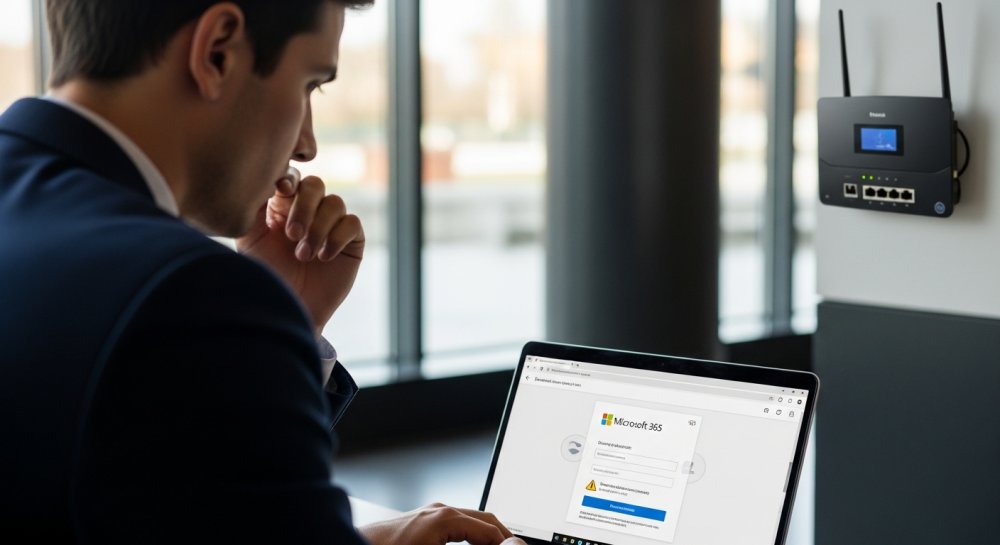
Hackers are tampering with Wi-Fi equipment at hotels and conference centers, turning an everyday internet connection into a path toward fake Microsoft 365 login pages. The hotel Wi-Fi phishing attack poses a particular risk to business travelers.
You might connect before a meeting, open your laptop and see what appears to be a normal Microsoft sign-in screen. However, the hotel’s compromised network may have quietly sent you to a page controlled by hackers.
Cybersecurity company ReliaQuest says the campaign has been active since at least June. Researchers found compromised Wi-Fi gateways in several U.S. cities.
Organizations in financial services, professional services, legal, healthcare, energy and retail connected through the affected equipment. That broad range suggests the hackers may be targeting traveling employees rather than one specific industry.
How the Attack Works
A Wi-Fi gateway controls how connected devices reach the internet. Once hackers gain administrative access, they can change the gateway’s Domain Name System settings.
DNS works like an address book for the internet. It translates a website name into the numerical address needed to reach the correct server.
In this campaign, hackers alter that process. When someone tries to open a legitimate Microsoft login page, the compromised gateway may direct the browser to a fake site instead.
Your device can still appear connected normally. The hotel name may show up in your Wi-Fi settings and other websites may continue loading.
That makes the attack difficult to notice before you enter sensitive information.
ReliaQuest has not confirmed how the attackers first gained access to the affected appliances. However, the researchers identified several possible entry points.
Some gateways may expose administrative tools directly to the internet. Hackers could search for weak passwords, vulnerable web dashboards or poorly protected remote management services.
Older Wi-Fi appliances may also run software with known security flaws. If a hotel or event venue delays an update, an attacker may exploit that opening and take control.
Once inside, the hacker can change the DNS configuration without touching each guest’s phone or laptop. One compromised gateway can affect many people who connect during an event.
The Fake Microsoft Pages
ReliaQuest says the attackers registered at least four domains for the fake Microsoft portals. These addresses contain familiar Microsoft terms.
A traveler moving quickly between meetings may overlook the unusual domain name. The fake page can collect a Microsoft 365 email address and password.
A stolen account may expose business email, private documents and company cloud services. Hackers could also use the account to impersonate an employee.
That creates opportunities for payment fraud, internal phishing or further attacks against coworkers and clients.
Device Code Authentication Abuse
Some incidents involved a more deceptive device code authentication flow. A user reached a fake Microsoft page that displayed an authorization prompt.
The prompt appeared to be part of a legitimate sign-in process.
Behind the scenes, however, the hacker had already started an authentication session. When the user approved the request, Microsoft issued a legitimate OAuth token to the attacker’s client.
That token could give the hacker account access without requiring the attacker to steal a password or intercept a one-time code.
This technique can get around multifactor authentication because the user completes the approval. The security system sees a valid authorization even though the attacker initiated it.
A login prompt that suddenly asks you to approve a device deserves extra scrutiny. Stop and verify the request through your company’s IT department before continuing.
WPAD Exploitation Attempts
In roughly one-third of the cases, the attackers attempted to abuse Web Proxy Auto-Discovery, commonly called WPAD. Windows can use WPAD to find network proxy settings automatically.
The attackers responded to those requests with a malicious proxy auto-configuration file.
In theory, that file could send traffic from Windows applications through a proxy controlled by the hackers. That may give attackers another chance to observe or manipulate network activity.
ReliaQuest could not confirm whether those WPAD attempts succeeded. Still, the activity shows that the attackers may be looking beyond Microsoft login credentials.
Why Changing DNS Won’t Stop This
Switching your device to a public DNS service such as Google’s 8.8.8.8 may sound like an easy defense. Unfortunately, ReliaQuest says that step alone cannot block this campaign.
Traditional DNS requests travel across the network in plain text. A compromised Wi-Fi gateway can forge the response before your request reaches the public resolver.
Your device may think it contacted the DNS service you selected. In reality, the gateway can answer first and point you toward the hacker’s server.
Encrypted DNS offers stronger protection because it prevents the local gateway from easily reading or changing those requests. However, you need to configure it in strict mode so your device does not quietly fall back to an unencrypted connection.
How to Protect Yourself
Public Wi-Fi can still be useful, but you should treat it as an untrusted network. These steps can reduce your exposure while traveling.
Use a full-tunnel VPN: A full-tunnel VPN encrypts your internet traffic and sends it through a trusted VPN server. Make sure the VPN covers all traffic rather than selected apps.
Connect it before opening email, checking financial accounts or signing in to any sensitive service.
Connect through your phone’s cellular hotspot: Your phone’s cellular hotspot can help you avoid the hotel gateway entirely. This works well when you need to access email or business documents for a short period.
Check your mobile data allowance first. Large downloads and video calls can use a significant amount of data.
Verify the web address before entering credentials: Before entering a password, look closely at the full web address. A domain containing “Microsoft,” “365” or “OWA” does not make the page legitimate.
Use a saved bookmark for your company’s Microsoft 365 portal. You can also open the official application instead of following a prompt that appears after connecting to Wi-Fi.
Never approve unexpected device code requests: Do not approve an unfamiliar device code simply because the page looks authentic. Ask why the request appeared and confirm that you started the login process.
Contact your IT or security team when a prompt feels unexpected. A quick verification can prevent an attacker from receiving a valid session token.
Keep all software updated: Install operating system, browser and security updates before traveling. These updates can close vulnerabilities that attackers use alongside network-based attacks.
Restart your device after installing an update when prompted. Some fixes do not take effect until the restart finishes.
Run strong antivirus software: Strong antivirus software can help detect malicious pages, suspicious downloads and other threats that follow a phishing attempt. Keep its web protection features turned on.
Security software cannot repair a compromised hotel gateway. However, it can add another barrier when an attacker tries to deliver malware or send you toward a known phishing site.
What Companies Should Do
ReliaQuest recommends disabling Microsoft Entra ID device code authentication when an organization does not need it. Companies should also review login records for unusual locations, unfamiliar devices or suspicious application approvals.
IT teams can disable WPAD where business systems do not require it. They should also investigate unexpected proxy configuration activity on Windows devices.
Stay Alert While Traveling
This campaign shows how a hotel Wi-Fi network can look completely normal while sending you toward a fake Microsoft 365 login page. The network name may match the hotel and the sign-in page may look polished, which makes the attack difficult to spot.
Your biggest warning may be an unexpected request to enter your work password or approve a new device. Slow down before signing in, especially when you are rushing between meetings or working from a conference center.
Use an always-on full-tunnel VPN whenever possible. You can also switch to your phone’s cellular hotspot when handling sensitive email, files or account logins.
Finally, never approve a Microsoft authentication request you did not start. If anything feels off, stop and contact your company’s IT department through a trusted channel.
Our freedoms depend on staying vigilant.